Inside a Multi-Actor Motion Capture Shoot: Body, Face, Fingers, Unreal Engine Previz, and AAS Capture
A multi-actor motion capture shoot is a live conversation between performers, directors, technicians, and the virtual world. In this Apple Arts Studios production, body, facial, and finger performance come together with Unreal Engine previz, AAS Capture shot management, careful floor marking, set marking, and practical props.
Watch the reel first, then follow the production workflow below to see how each department keeps the performance connected from the capture floor to the final digital scene.

The capture floor is the first stage of the final scene
The team begins by establishing a shared physical space. Performers need room to move, clear marks for position, and a common understanding of the scene. That preparation lets the technical team protect clean data while the director focuses on performance.

Body, facial, and finger performance work together
The body provides weight, timing, and physical intention. Facial capture carries emotion and thought. Finger and hand detail completes the interaction, especially when characters handle props, point, reach, or react to one another. Capturing these layers as one coordinated performance gives animation teams a more complete starting point.


Unreal Engine previz turns planning into something everyone can see
Previz gives the director and crew a visual version of the scene before final animation. Camera direction, virtual set geography, actor placement, and shot rhythm can be checked while changes are still easy to make. The result is a shared reference for both the physical capture team and the digital production team.


AAS Capture keeps the shot list current during the shoot
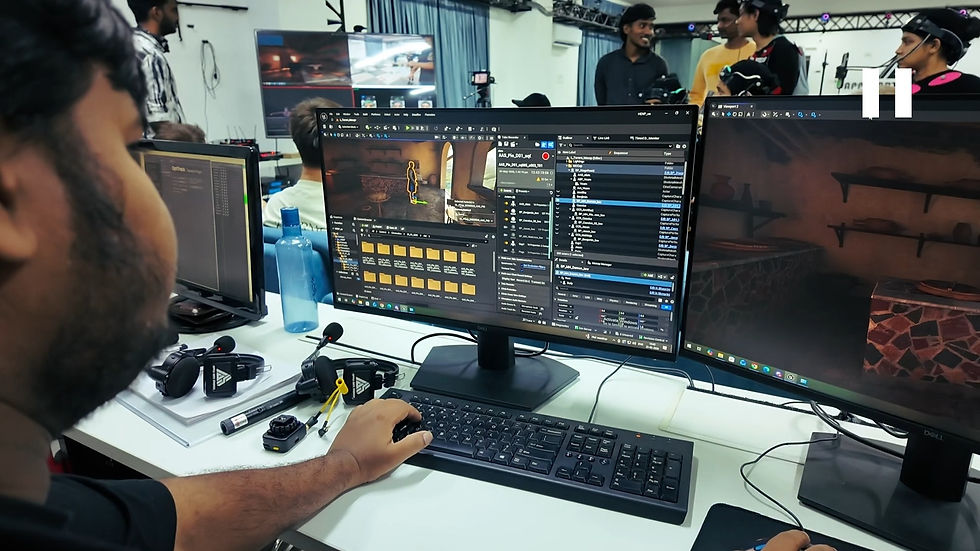
A shot list is most useful when it stays connected to the live production. AAS Capture gives the team a practical way to track shots, monitor progress, record decisions, and update priorities as the shoot develops. That shared view reduces confusion between setups and keeps the next creative decision visible to everyone.

Direction and coordination make complex setups repeatable
Multi-actor capture works best when direction is clear and the entire room understands the next beat. The crew coordinates performers, technical checks, camera intent, and props before recording each setup. That discipline gives the director room to refine the performance without losing production control.

Floor marks, set marks, and props protect the geography of the scene
Physical reference points anchor the virtual scene. Floor marks show where performers begin, finish, and cross. Set marks establish the boundaries of the action. Props give actors something tangible to hold, approach, or react to. Together they make movement repeatable and help the digital performance retain the logic of the physical shoot.

A connected workflow produces stronger performance data
The value of the process comes from the connection between people and tools. Performance capture, live monitoring, Unreal Engine previz, AAS Capture, floor planning, and props each support the next decision. Together they create a production workflow that is easier to direct, easier to review, and more useful to the animation team.
Explore Apple Arts Studios for motion capture, performance capture, virtual production, and animation support: https://www.appleartsstudios.com/
Bring your next performance to life
Apple Arts Studios helps productions turn live performances into production-ready character data, with a workflow designed around the needs of the story.